Top 6 MFA Enforcement Best Practices that SMBs Should Focus on
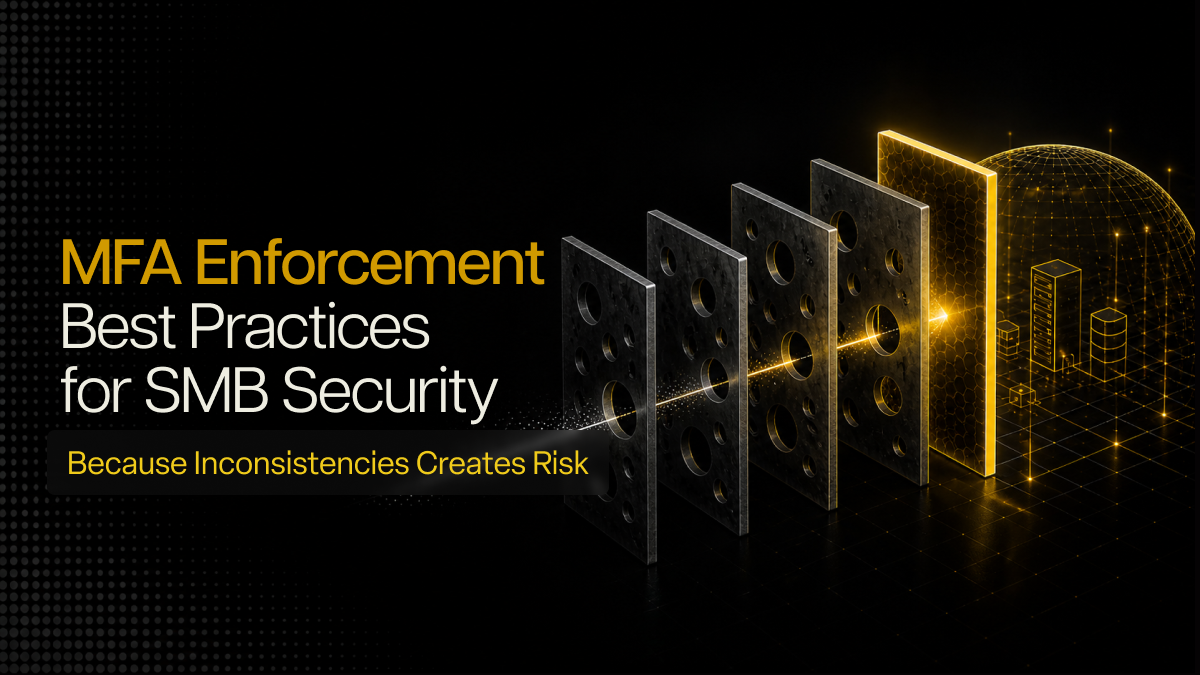
Most SMBs do not struggle because MFA is missing. They struggle because it is not enforced consistently across identities, access paths, and sessions. This blog explains how to spot those gaps and build stronger MFA enforcement in Microsoft 365 and Google Workspace environments.
In my experience, Multi-Factor Authentication (aka MFA) is one of the most widely deployed controls in SMB environments. But it is also one of the most inconsistently enforced.
A user gets the prompt, leadership assumes the account is protected, and the business moves on. The problem is that today’s cyber attackers usually do not depend on breaking authentication directly. Instead, they depend on finding the weak point around it, which can often be as simple or mundane as a legacy sign-in path that wasn’t blocked.
That matters even more in the Gulf right now, with threat reporting over the last few years highlighting how extortion and ransomware account for more than half of cyberattacks in the region. At the same time, the urgency following recent UAE-linked incidents - such as the Department of Land data breach claimed by Handala (which led to the exfiltration of nearly 149 terabytes of classified information and the destruction of nearly 6 petabytes of sensitive data) - have pushed identity and access controls back into focus.
That is the distinction I want to focus on here. This is not a blog about whether MFA enforcement matters because it does, plain and simple. This blog is about why turning it on is only the first step; covering six prominent enforcement gaps that leave UAE-based SMBs exposed and the specific MFA best practices needed to close each one.
Start by Checking Where MFA Enforcement is Missing
This is always the first thing I would review.
A lot of SMBs think they have MFA covered because most employees are seeing prompts during login. That is not the same as full enforcement, which is further validated by research which shows that Microsoft reports over 99.9% of compromised accounts surveyed have lacked effective MFA enforcement. What usually sits outside policy are the identities that matter most: admin accounts, service accounts, shared accounts, or newer users who were added after the original rollout and never brought under the same controls.
I have seen environments where the main user base had MFA, but one privileged account had a weaker path because it was considered “temporary.” Six months later, it was still there. Any identity outside MFA enforcement becomes the easiest route into the environment. If that identity has admin rights, mailbox access, or access to business-critical apps, the exposure goes up fast.
So the first step is not complicated. List every user type, every privileged role, every shared or service account, and confirm that none of them are sitting outside policy.
Stop Relying on Weak MFA Methods
This is another common gap, especially in SMB environments where ease of rollout matters.
I still see businesses rely heavily on SMS OTPs or basic push approvals because they are easy to adopt. I understand why. They are familiar, they are simple, and they cause less user resistance in the early stages. I would still not treat them as a strong long-term answer.
A weak MFA method turns the control into a yes-or-no approval step. It does not make it meaningfully harder for an attacker who is already working around the user. For standard users, I would rather see app-based methods with number matching and context prompts. For admins and higher-risk users, I would push toward stronger methods where the environment supports them. The more access a person has, the less comfortable I am with weak fallback methods.
If a business wants MFA to do real work, the method matters just as much as the policy.
Block the Sign-In Paths that Bypass MFA
This is where a lot of Microsoft 365 environments quietly fall apart.
A tenant may have MFA enabled, but older authentication paths are still open somewhere. IMAP, POP, SMTP AUTH, older apps using basic authentication, all of these can create routes that do not enforce MFA in the way the business expects. That means the dashboard can look fine while a bypass path is still sitting there.
I have seen businesses put real effort into user-side MFA enrollment and then lose the value of that work because nobody disabled the older sign-in methods. If those paths are open, attackers do not need to fight through the stronger policy. They just use the weaker door.
So this step is simple in theory and often missed in practice: disable legacy authentication where possible, find the apps that still depend on it, and move the environment toward modern authentication only.
Use Conditional Access Properly
One of the biggest mistakes I see is applying the same authentication experience to everyone, as if all access carries the same level of risk. It does not.
An admin signing in from an unmanaged device should not be treated the same way as a standard employee logging into a low-risk app from a known device. A sign-in from an unusual location should not be treated the same way as a routine sign-in from an expected region. MFA without context still leaves too much room for risky access. This is where conditional access matters. You want the policy to reflect user role, device trust, sign-in risk, and location. You also want higher-risk actions and higher-risk users to face tighter controls than everyone else.
I think this is where a lot of SMBs know what should happen, but do not always have the time to configure it properly. So they stay with one broad rule and assume it is close enough. It usually is not.
Tighten Session Controls After Login
A lot of MFA conversations stop at the login prompt. I do not think that is enough anymore.
If a session lives too long, if tokens remain valid too easily, or if sensitive actions do not trigger re-authentication, the business can still end up giving attackers more time than it should after the initial login. This matters because modern account compromise is not always about stealing the password. Sometimes it is about stealing the session after the user has already done the hard part.
That is why I would always review sign-in frequency, persistent sessions, re-authentication requirements, and whether privileged access is being handled more tightly than standard user access. The control should not end the second the user gets in.
Review MFA Enforcement Regularly
This is the part most SMBs struggle to maintain.
MFA rarely fails because the technology is unavailable. It weakens because the environment changes, but the security policies don’t. New users come in, leading to roles shifting and exceptions being created. But even as new apps are added, old access paths stay behind longer than anyone planned: making them prime targets for attack.
I keep coming back to that because it is the pattern I see most often. The control still exists in the console. It just no longer matches the way the business actually works.
That is why MFA enforcement needs regular review. Someone has to check coverage, risky sign-ins, weak methods still in use, stale exceptions, and any non-compliant identities that slipped outside policy. Without that, even a decent rollout starts losing value over time.
Conclusion
Most SMBs do not struggle with MFA because they do not care about it. They struggle because keeping it enforced properly takes time and discipline, and internal IT usually has ten other priorities at the same time.
That is where service providers can make a real difference.
At Lumora, that usually means reviewing MFA coverage across all users and admin roles, removing weak methods and bypass paths, tightening conditional access and session controls, and watching for drift over time. That approach already sits inside how Lumora X provides essential security with clarity: by handling MFA baselines, admin protection, risky sign-in review, legacy authentication blocking, and ongoing monitoring for SMBs.
If your business is using Microsoft 365 or Google Workspace and you are not fully sure about your MFA enforcement status, book Lumora’s 72-hour essential security assessment. We review your MFA coverage, identify legacy authentication paths, assess your conditional access and session controls, and give you a clear report on what needs fixing first.


.avif)