How to choose the right cybersecurity tools for SMBs without adding more confusion
Effective cybersecurity tools for SMBs should be chosen based on real business risks, not brand names alone. The blog covers how to assess identity, email security, endpoint protection, DMARC, firewalls, backups, and reporting before buying more tools. It also explains why tools only work when they are configured, reviewed, monitored, and managed properly, which is where Lumora helps build essential security with clarity.
I have seen many SMBs buy cybersecurity tools with good intent and still end up with weak security. The reason is rarely the tool itself.
Most of the time, the problem starts before the purchase. A vendor recommends a product, or a business owner hears about a brand. Then, an IT manager gets asked to “make us secure” with a limited budget and limited time. Ultimately, the company buys something, installs it, and assumes the job is done.
A few months later, the same business has endpoint protection, Microsoft 365, a firewall, maybe email security, maybe backups, maybe a DMARC tool, and still no clear answer to a basic question: Are we actually protected where it matters?
That is the question SMBs should be asking themselves before choosing any cybersecurity tool. And it is one that we can hopefully help them answer with this blog as we discuss some of the best practices for choosing the right cybersecurity tools for SMBs.
Start with what you need to protect
I always tell SMB owners and IT managers to begin with the business, not the product. That is where essential security starts.
Look at how your company works. Where does your team spend most of its time? Which systems hold customer data? Which applications run daily operations? Who has admin access? Which users can approve payments, access financial records, or download sensitive files?
For most SMBs, the answer is usually simple. Email is critical. Microsoft 365 or Google Workspace holds files and communication. Laptops and desktops are used every day. A firewall protects the office network. A few SaaS apps hold customer or operational data. The company domain is used for customer, vendor, and finance communication.
That gives you the first layer of clarity.
Your security tools should protect the systems your business already depends on. If a tool does not protect a real business risk, it may be nice to have, but it should not be first on the list.
Avoid starting with the biggest brand name
Brand names help. They create trust. They also create a false sense of safety if the product is not configured well.
I have seen businesses buy strong products and still leave basic gaps open. MFA is enabled for normal users, but not properly enforced for admins. Endpoint agents are installed on most devices, but a few laptops sit unhealthy for months. DMARC is in monitoring mode, but no one moves it toward enforcement. Firewalls have old rules no one remembers adding.
The product exists. The protection does not.
That is why I do not recommend choosing tools only because they are known in the market. A known product with poor setup is still a weak control. A good security decision should answer two questions: what risk does this tool reduce, and who will keep it working?
If you cannot answer both, pause before buying.
Cover the essential security areas first
SMBs do not need a complicated security stack on day one. They need an essential security baseline that covers the first areas attackers usually target.
The first area is identity and access. This includes MFA, admin role review, conditional access, guest access, and risky sign-in checks. If an attacker steals a password, identity controls decide whether that password becomes a breach.
The second area is email security. Many attacks still begin with a phishing email, fake invoice, malicious attachment, or login page that looks real enough to fool a busy employee. Email security reduces how many dangerous messages reach your people.
The third area is endpoint security. Every laptop, desktop, and server can become an entry point. Endpoint protection helps detect malware, ransomware behavior, suspicious activity, and unauthorized changes on devices.
The fourth area is domain protection. Your company domain is part of your identity. SPF, DKIM, and DMARC help stop attackers from sending fake emails that look like they came from your business.
The fifth area is firewall and network hygiene. Exposed services, old rules, default admin access, weak logging, and unmanaged VPN access can all create avoidable risk.
Backups also deserve attention. A business that cannot restore data after ransomware or accidental deletion is betting on luck. I do not like security plans that depend on luck.
Check whether your team can actually manage the tool
This is where many SMBs get stuck.
A tool may look excellent in a demo. The dashboard is clean. The sales deck looks convincing. The detection engine sounds smart. Then the tool goes live, alerts start coming in, and no one has time to review them properly.
SMB IT teams are already stretched. They handle passwords, user onboarding, laptops, printers, SaaS access, cloud settings, vendor calls, and management questions. If you add a security tool without clear ownership, it becomes another dashboard waiting for someone to remember it exists.
Before buying any tool, ask who will manage it every week.
Who will review alerts? Who will update policies? Who will check agent health? Who will review blocked emails? Who will handle exceptions? Who will explain reports to management?
If the answer is vague, the tool will struggle inside your business.
Look for essential security with clarity in reporting
Good cybersecurity tools should help the business understand what is happening.
A useful report should not only say that 4,000 events were detected. That number means very little to a business owner. A useful report should explain what was blocked, which users need attention, which devices are unhealthy, which settings are weak, and which actions should be done first.
This matters because SMB security is not only a technical issue. IT managers need to explain risk to leadership. Business owners need to understand why budget is required. Customers may ask for security proof. Auditors may ask for evidence.
If the tool cannot produce clear reporting, the IT team ends up translating technical noise into business language every month. That is time they usually do not have.
Do not confuse more tools with stronger security
One of the most common mistakes I see is tool accumulation.
A company buys one tool for endpoint protection, another for email, another for backup, another for firewall, another for identity, and another for reports. Each tool solves a problem, but no one connects the full picture.
When something goes wrong, the team has to check six consoles to understand one incident. Was it a phishing email? Did the user click it? Did the endpoint detect anything? Was there a risky login? Did the firewall see unusual traffic? Did the domain get spoofed?
This is where SMBs lose time.
More tools can create better coverage, but only if someone connects them operationally. Without that, the business gets more alerts, more confusion, and more pressure on the same IT person.
Review what you already own
Before buying a new security product, review your current stack.
Many SMBs already have security features inside Microsoft 365, endpoint tools, firewalls, email platforms, or backup systems. Some are unused. Some are misconfigured. Some are included in licenses but never turned on. Some were turned on once and never reviewed again.
This review can save money. It can also reduce risk faster than buying something new.
I would rather see an SMB properly enforce MFA, clean up admin accounts, fix DMARC, tune email security, review firewall rules, and check endpoint health than buy another tool that no one will manage.
Security improves when controls are maintained. Purchase alone does not do that work.
Choose tools that fit your maturity
A 25-person company does not need the same stack as a 2,000-person enterprise. It needs tools that match its size, risk, budget, and internal capacity.
For a smaller SMB, the right choice may be managed cybersecurity services built around Microsoft 365 security, endpoint protection, email security, DMARC, firewall checks, awareness training, and backup review.
For a larger SMB, it may include deeper identity controls, MDR, SIEM, vulnerability management, device management, and stronger compliance reporting.
The correct tool stack should grow with the business. Buying too much too early creates operational drag. Buying too little after the business has scaled creates exposure.
Where Lumora fits in
At Lumora, we look at cybersecurity tools through one simple lens: will this help the business build essential security with clarity?
That means we do not start by pushing more products into the environment. We first assess what already exists, where the real gaps are, and which controls need attention first.
For SMBs, Lumora can review Microsoft 365 settings, MFA coverage, admin roles, endpoint security, email protection, DMARC status, firewall hygiene, and risky access paths. From there, we help build a cleaner baseline around what the business actually uses.
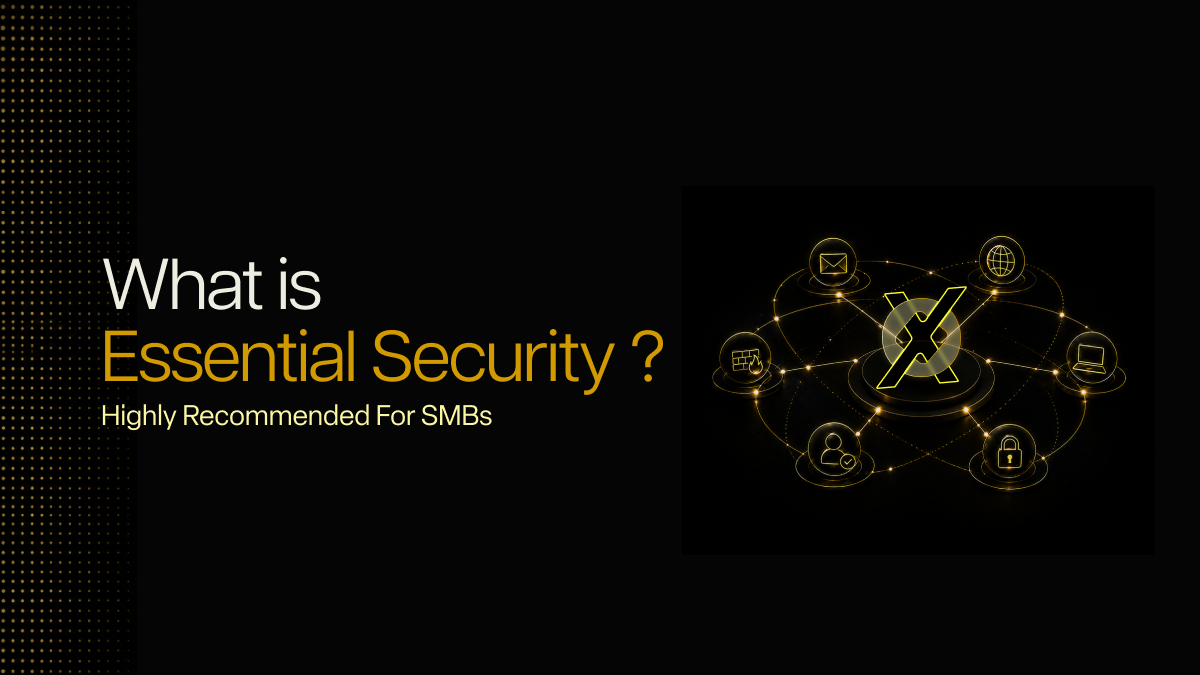
LumoraX brings these essential controls into one managed cybersecurity services model, so SMBs get the tools, configuration, monitoring, and reporting in one place.
If your business already has security tools but you are not sure how well they are working, Lumora can help you find the gaps before they turn into incidents. Book a 72-hour essential security assessment to see what should be fixed first.




.avif)