How SMBs can Turn Microsoft 365 into a Secure Workspace
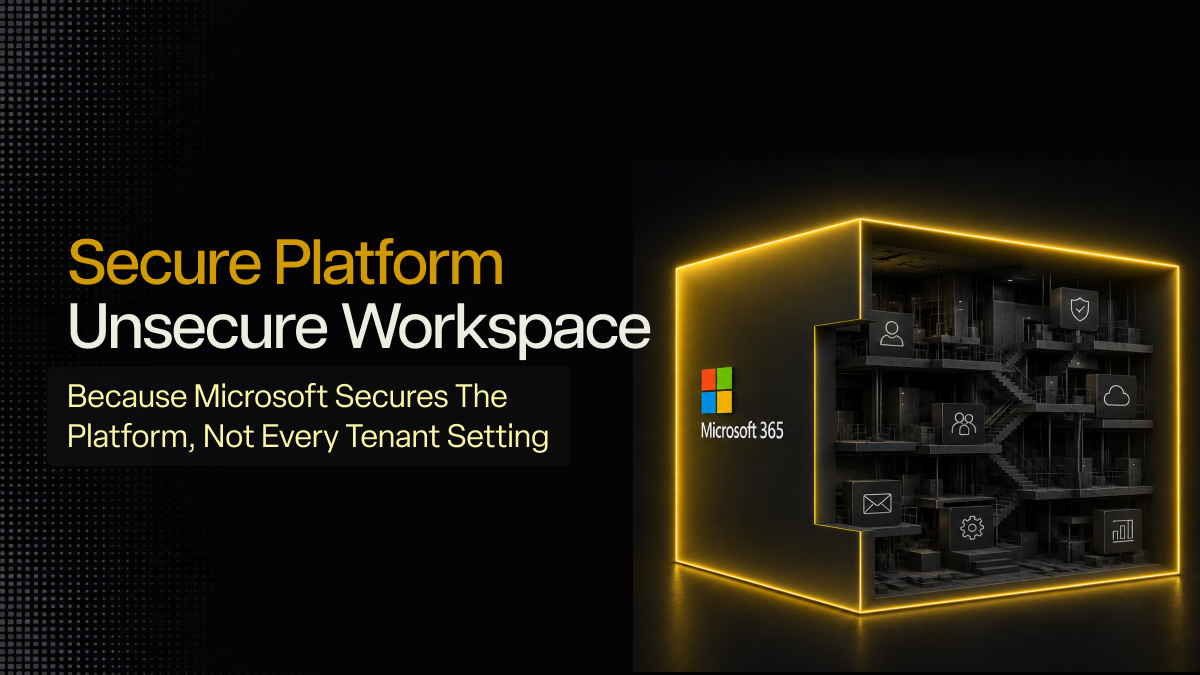
Microsoft 365 is a secure platform, but that does not automatically make your workspace secure. SMBs still need to configure identity controls, sharing settings, mailbox rules, device access, and log monitoring. The real risk often sits in tenant settings that were enabled once and never reviewed. A secure workspace needs Microsoft’s controls enforced, tuned, and watched over time.
Most SMBs use Microsoft 365 because it is easy to start with and already has several essential security features built in. That creates a common assumption I see often: if Microsoft is secure, the business workspace must be secure too. The logic sounds fair at first. Microsoft 365 security handles the infrastructure and ensures that everything is running smoothly right out of the box. But that does not mean the user’s workspace security has been configured properly.
A Microsoft 365 environment can still have weak admin controls, open file sharing, outdated mailbox rules, unmanaged devices, broad forwarding permissions, and logs that no one reviews. None of that makes Microsoft insecure. It means your business workspace inside Microsoft has not been hardened.
That difference matters for SMBs.
Most attacks I worry about do not start with someone “breaking Microsoft.” They start with a user account that was not protected properly, a mailbox rule that stayed hidden, a shared file link that never expired, or a sign-in alert that no one checked.
So the real question this blog seeks to address is not about whether Microsoft 365 is secure: it is whether your Microsoft 365 security is aligned with how your business actually works.
Platform Security and Workspace Security are Different
Microsoft protects the platform infrastructure, encryption layers, core availability, and service-level security. That is Microsoft’s side of the responsibility. Your business’ side is the workspace. That includes user accounts, admin roles, MFA methods, Conditional Access, SharePoint and OneDrive sharing, Exchange mailbox rules, device compliance, logs, and alerts.
If a user shares a OneDrive folder with "anyone with the link," that is a tenant setting. If an admin account uses weak MFA, that is a tenant setting. If audit logs exist but no one reviews them, that is an operational gap.
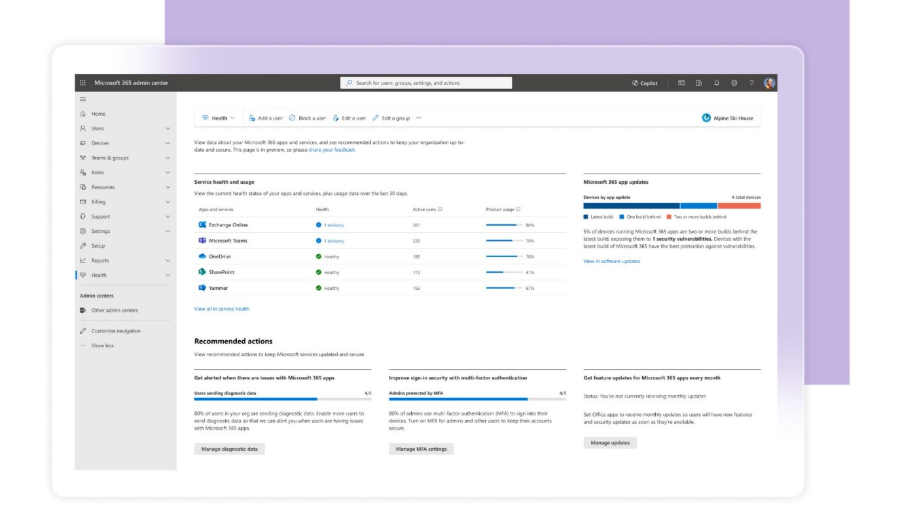
Source: Microsoft 365 Admin Center
This is where many SMBs get exposed. They are not using an insecure platform. They are using a secure platform with admin settings that still need work.
Identity and Session Settings Decide Who Gets In and How Long They Stay
Microsoft 365 gives SMBs MFA, Microsoft Entra ID, Conditional Access, authentication method policies, risky sign-in signals, and session controls. The issue is that many tenants only use part of that stack. I usually look for five things first:
- Whether MFA is enforced for all users,
- Whether admin accounts use stronger methods,
- Whether Conditional Access exists,
- Whether persistent sessions are limited, and
- Whether unmanaged devices can access business apps.
Microsoft states that Entra MFA is enforced through Conditional Access policies, where admins can decide when users are prompted for MFA based on essential security needs. Conditional Access can also use conditions such as location, device platform, sign-in risk, client apps, and target resources. That matters because attackers do not always need to break MFA since they can use phishing kits, token theft, unmanaged devices, or weak session settings to gain access easily. A user may pass MFA once, but that does not mean every session after that is safe.
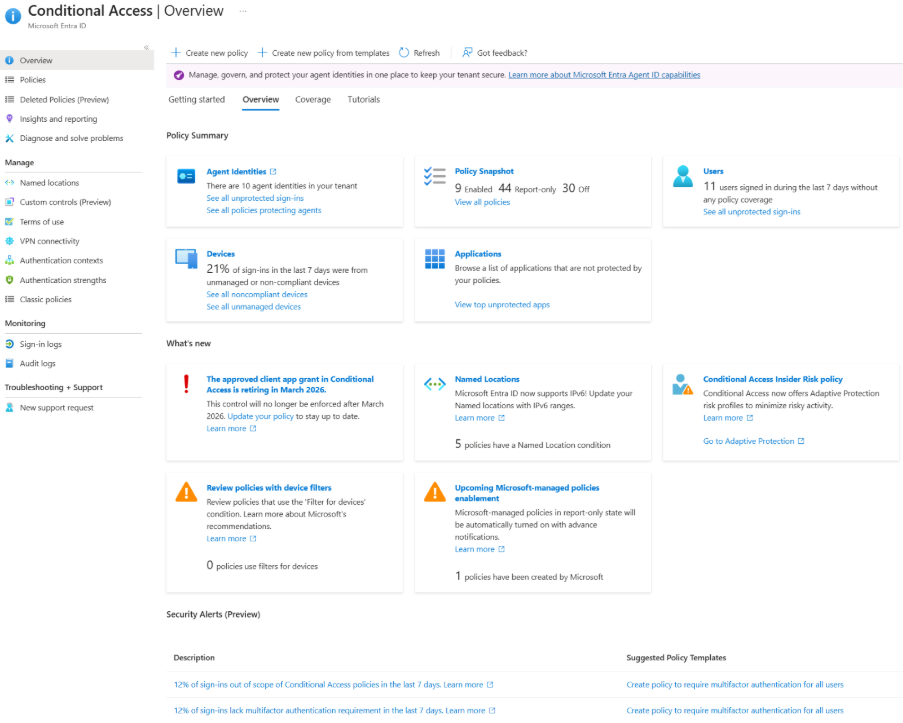
Source: Microsoft Entra ID Conditional Access Admin Panel
For SMBs, the baseline should be clear. Enforce MFA across users and privileged roles. Use FIDO2, Windows Hello for Business, or other stronger methods for admins. Microsoft’s documentation says authentication strengths can require specific authentication method combinations for sensitive resources, risky users, or access from outside trusted locations. Define sign-in frequency and session controls so access does not stay alive longer than it should.
SharePoint and OneDrive Sharing can Expose Data Without a Breach Alert
Microsoft 365 makes file sharing easy through SharePoint, OneDrive, and Teams. That convenience is useful, but it can also create quiet exposure. The common gaps are familiar: anonymous links, external links with no expiry, old vendor access, guest users that are never reviewed, and sensitive files shared outside approved domains.
The uncomfortable part is that this may never look like a breach. The data left through a permitted sharing action. No malware was needed. No exploit was needed. A user or guest account had access, and the tenant allowed the action. This is why file sharing needs secure workspace policies, not merely trust, to function safely. SMBs should restrict anonymous sharing, set expiry for external links, limit sharing to approved domains, review guest users, and monitor unusual download or sharing activity.
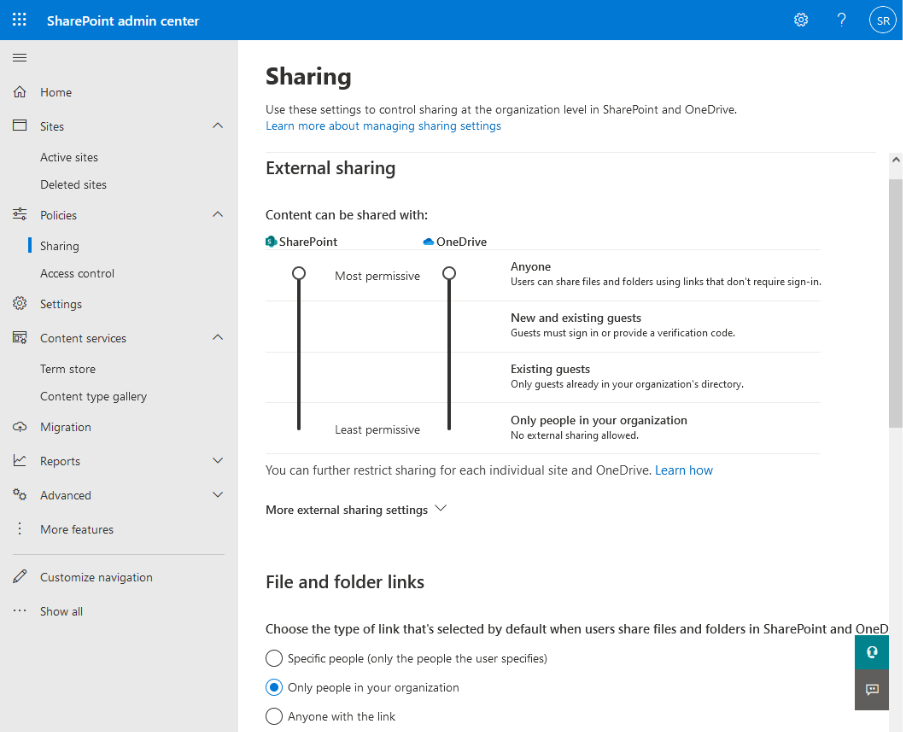
Source: Sharepoint and Onedrive External Sharing Settings
Microsoft Purview audit logs can be used to monitor and investigate Microsoft 365 activity, including specific events that admins can search and export. Microsoft also recommends using the least privileged roles needed for audit access, instead of relying on Global Admin access everywhere.
Misconfigured Email and Mailbox Settings can Turn Microsoft 365 into a BEC Entry Point
Exchange Online has strong email security capabilities, but the tenant still needs tuning. In SMB environments, I often check for broad safe sender lists, unrestricted external forwarding, mailbox rules that no one monitors, weak anti-phishing policies, and missing DMARC enforcement on the domain. BEC actors do not always need malware. A compromised mailbox can create a forwarding rule, watch invoice conversations, and insert payment changes into a real thread. That is why mailbox configuration matters.
Microsoft Defender for Office 365 includes anti-phishing policies under Email & Collaboration > Policies & rules > Threat policies > Anti-phishing. Microsoft also notes that a default anti-phishing policy applies to all recipients, while custom policies can be created for specific users, groups, or domains. Microsoft also provides controls for automatic external forwarding through outbound spam filter policies.
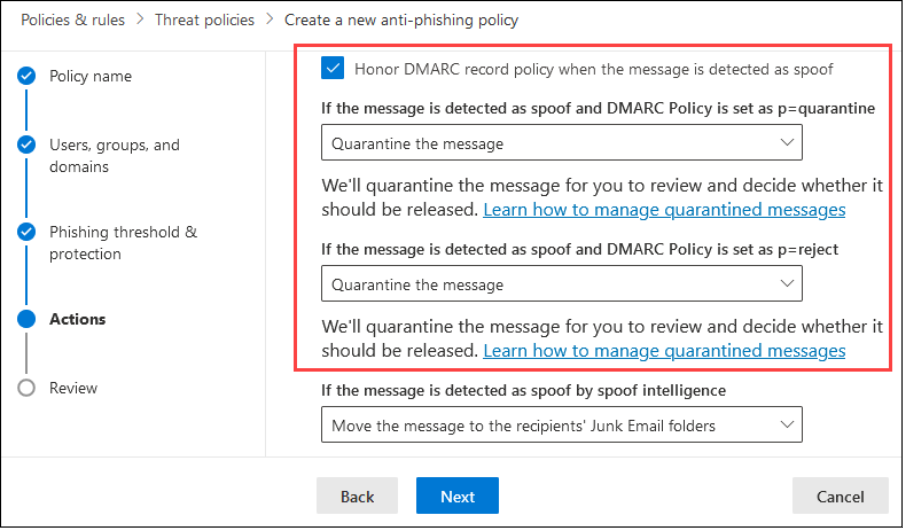
Source: Microsoft Defender Email Anti-Phishing Policies and Rules
SMBs should restrict external forwarding, review inbox and transport rules, tune anti-phishing policies, monitor mailbox rule creation, and enforce SPF, DKIM, and DMARC on the business domain.
Logs Need Monitoring
Microsoft 365 generates a lot of useful signals across Entra ID, Defender, Exchange, SharePoint, OneDrive, and Purview. In that regard, most SMBs do not have a log problem. What they do actually have, however, is a review problem. That is why the events I would monitor first are risky sign-ins, impossible travel alerts, new forwarding rules, new admin role assignments, unusual file downloads, guest user activity, and changes to Conditional Access policies.
Similarly, Microsoft’s Entra security operations guide also covers monitoring accounts, applications, devices, and infrastructure, including identity-based risks and export of risk detection data to SIEM tools. Defender for Office 365 reports also show phishing, malware, and spam detections by email threat category.
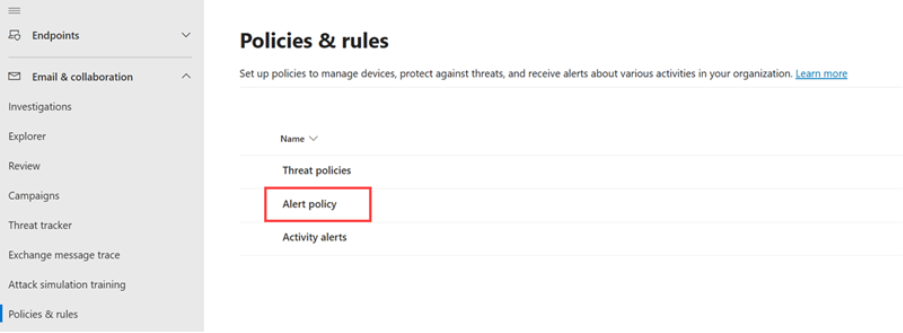
Source: Microsoft Defender Alert Policies
To best leverage these capabilities, SMBs should enable audit logging, review Entra sign-in logs, set alerts for mailbox and admin changes, and route key signals into managed monitoring.
What a Secure Workspace with Microsoft Actually Requires
Microsoft 365 gives SMBs strong controls, but it does not automatically secure every admin setting, shared file, mailbox rule, device, and session inside the tenant. A secure workspace needs enforced identity controls, hardened email policies, controlled sharing, device posture checks, monitored logs, and periodic review.
This is where a managed baseline helps. Lumora reviews Microsoft 365 tenant settings, hardens identity and email controls, monitors key activity, and provides essential security with clarity that remains aligned with how the business actually works.
If your business runs on Microsoft 365, the biggest risk may be the settings no one has reviewed. Lumora can assess your tenant, identify the gaps, and help build a clearer workspace security baseline. Book a 72-hour essential security assessment to find what your defaults are missing.




.avif)