The 5 Security Myths Startups and SMBs Need to Stop Believing

The following blog covers five common security myths that many startups and SMBs still believe: that default access settings are enough, backups automatically solve ransomware, Microsoft 365 or Google Workspace covers the essentials, phishing is harmless if nobody clicks, and an installed endpoint agent means the device is secure. It shows where those assumptions fail and why security needs to be measured by the strength of the control, not just the presence of the tool.
Most startups and SMBs do not believe they are ignoring essential security. They believe they have already handled the important parts. That belief usually sounds very familiar: “We have MFA, so identity is covered. We have backups, so ransomware recovery is covered. We use Microsoft 365 or Google Workspace, so the essentials are covered. We have an endpoint agent, so the device is protected.”
These are some of the most common security myths I see in fast-growing businesses. They sound reasonable, they look technically defensible on the surface, and they create just enough confidence for the business to stop asking harder questions. That is where the exposure starts.
This blog looks at five of those security myths, because in my experience, they are the ones that quietly leave growing businesses in the Gulf more exposed in an increasingly digital environment.
Myth 1: “The default identity and access settings are good enough for now”
I understand why businesses believe this one. Microsoft 365, Google Workspace, and other SaaS platforms already come with identity controls. Users can sign in, MFA prompts appear, and the admin panel shows security settings. From the outside, it feels like access is already under control.
In practice, default identity settings are not built around your business risk.
What I still look for in almost every SMB environment is proper MFA enforcement across all users, stricter protection for admin roles, conditional access policies, blocked legacy authentication, and session controls that do not leave access open longer than it should be. Without that, an attacker does not need to break identity controls. They just need to find the weaker account, the unprotected admin path, or a session that was left alive.
This is why I do not treat "MFA is on" as the end of the discussion. I want to know who is excluded, which roles have tighter policies, what happens with risky sign-ins, and whether the environment still allows older sign-in methods that should have been shut down.
Myth 2: “We have backups, so ransomware recovery is covered”
Backups give people comfort. I get that. They feel like the safety net that will save the business if something goes wrong.
The problem is that backups only matter if they work under pressure.
A green backup status does not tell me much by itself. I want to know whether restores are tested, whether backup storage is isolated from the main environment, whether the same admin credentials can tamper with it, and whether the business has any realistic recovery time target for critical systems. If none of that has been checked, the backup is more of a hope than a recovery plan.
Ransomware operators know this. They do not just encrypt production systems and leave. They look for backup repositories, connected storage, and administrative paths that let them weaken recovery before the visible attack begins. Once that happens, the conversation changes from restoration to negotiation.
When I review backups for an SMB, I am less interested in whether the job ran last night and more interested in whether the business can recover cleanly and fast enough when it matters.
Myth 3: “Microsoft 365 or Google Workspace already covers the essentials”
This is one of the most common assumptions I hear, especially from growing businesses that moved to cloud-first tools early. The logic seems fair enough. These are trusted platforms, widely used, and packed with built-in security controls. So people assume the essentials are already handled.
That is only partly true.
Microsoft and Google are responsible for securing the platform. Your business is still responsible for what happens inside the tenant. That includes MFA rollout, user lifecycle, sharing controls, mailbox rules, device posture, third-party app access, and permission cleanup. If those are left loose, the platform can still be used against you very effectively.
I have seen environments where the platform itself was fine, but external sharing was too broad, mailbox forwarding rules were never reviewed, inactive users were still sitting there, and third-party app access had grown without much oversight. That is enough for a business email compromise actor or a phishing-led intrusion to find room to work.
Using a secure platform is not the same as running a secure environment on top of it.
Myth 4: “No one clicked the phishing email, so there is no issue”
This is one I push back on a lot. Many teams still treat phishing as a simple yes-or-no event. Either someone clicked or they did not. If nobody clicked, the incident gets dismissed as harmless.
I do not look at phishing that way.
A phishing email can still tell an attacker a lot even when nobody interacts with it directly. It can confirm that an email address is valid, show that a shared mailbox exists, reveal that a sender pattern made it through filtering, or trigger an out-of-office response that helps shape the next attempt. In some cases, that first email is just a quiet test before a more targeted follow-up lands.
So when a phishing email reaches the environment, I want to know why it was delivered, who else got it, whether the sender or domain appears elsewhere, and whether the technique should be blocked more broadly. I also want users to have a way to report suspicious emails easily, because those reports are useful signals when you review them properly.
Phishing should not be measured only by user failure. It should also be treated as input for improving the control.
Myth 5: “The endpoint agent is deployed, so the device is protected”
This one creates a lot of false confidence. An endpoint agent showing up in the console does not automatically mean the device is well protected. The agent may be outdated, misconfigured, partly deployed, missing policy coverage, or weakened by broad exclusions. I have seen all of these scenarios in SMB security environments: all of whom believed endpoint security was already taken care of.
Attackers look for exactly that kind of weakness. If protections are incomplete, telemetry is missing, or tamper controls are weak, early attacker activity becomes much harder to catch. By the time the business notices, the device may already have been used for credential theft, lateral movement, or payload delivery.
When I assess endpoint coverage, I want to see agent health, update status, tamper protection, exclusions, behaviour detection, and whether alerts are actually being reviewed. Installation is only the first step. Health and monitoring are what make it useful.
Why these security myths stay in place
These beliefs usually survive for a simple reason: visible controls are easier to trust than invisible gaps are to question.
A tool gets installed once and nobody revisits it. Internal IT focuses on keeping systems running. Leadership sees a login prompt, a backup dashboard, an endpoint console, or a firewall and assumes the risk is being handled. Over time, the business starts measuring security by the presence of tools rather than the quality of enforcement.
That is the mindset I think SMBs need to change. Most SMB security breaches do not begin in environments with no security at all. They begin in environments where the visible controls created enough confidence for everyone to stop checking whether those controls were still doing their job.
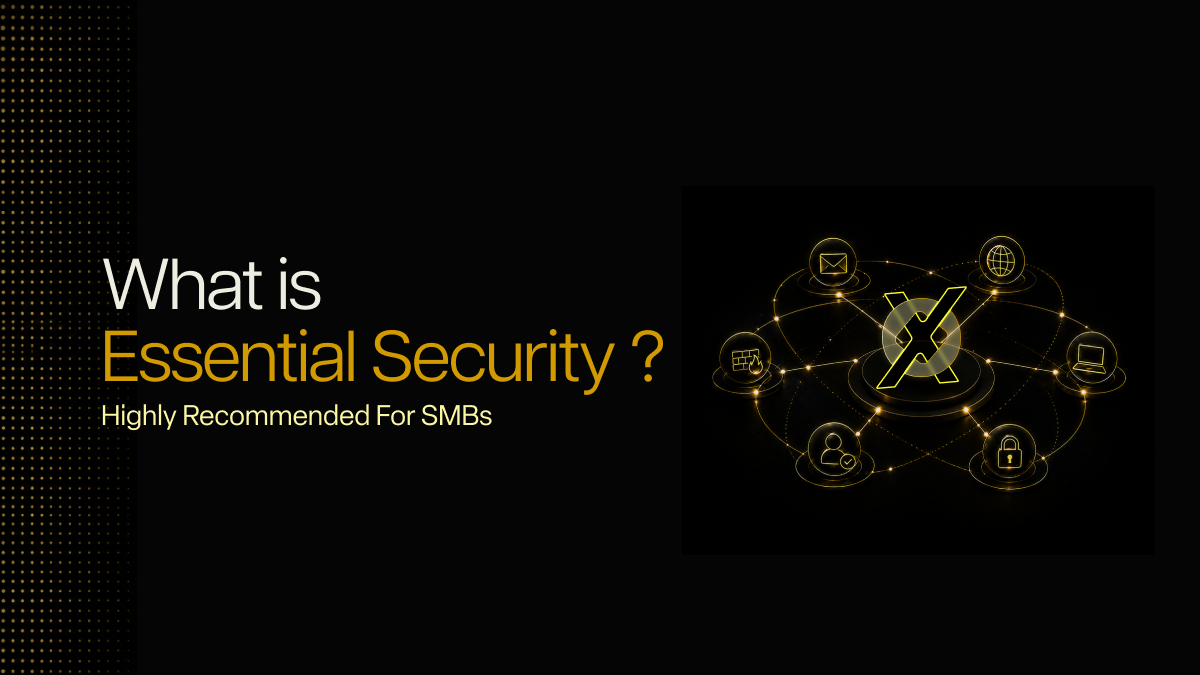
That is the gap Lumora is built to bridge by providing essential security with clarity.
We focus on validating the controls businesses usually assume are already covered across identity, email, endpoints, domains, and network layers. The point is not to stack more tools on top of what is already there. The point is to make sure the controls protecting the business are actually strong enough to hold.
If your business is relying on Microsoft 365, MFA, endpoint security, backups, or a firewall and you are not fully sure how well those controls are holding up, Lumora’s 72-hour essential security assessment will show you where the gaps are and what should be fixed first.



.avif)